
Your second iCOR audit and beyond
This article will explain how to start a second audit and the differences you will encounter from the first. This applies to all audits after the first.

Upon clicking 'Start New Audit' you will encounter the above message if there are actions still open. You have the option to either complete any remaining open actions, or to close the actions and continue with the audit.
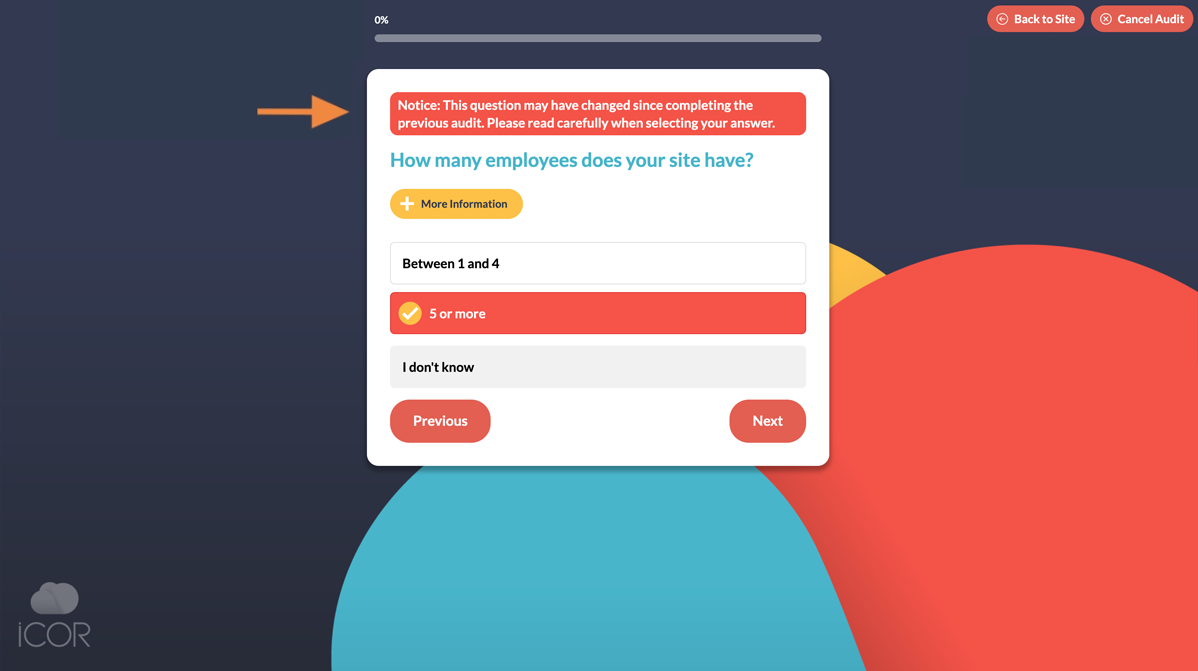
There are two main differences on all audits after the first:
- Answers you gave in the previous audit will be remembered and automatically filled for you, making the process much quicker and easier. You must still carefully read the questions to ensure that the answer is still true and correct. Questions that were previously answered with "I don't know" will not have this automatically filled.
- A notice bar may appear on some questions after your first audit to highlight that we may have changed the wording or meaning of the question since it was last answered, and it should be read carefully before proceeding.